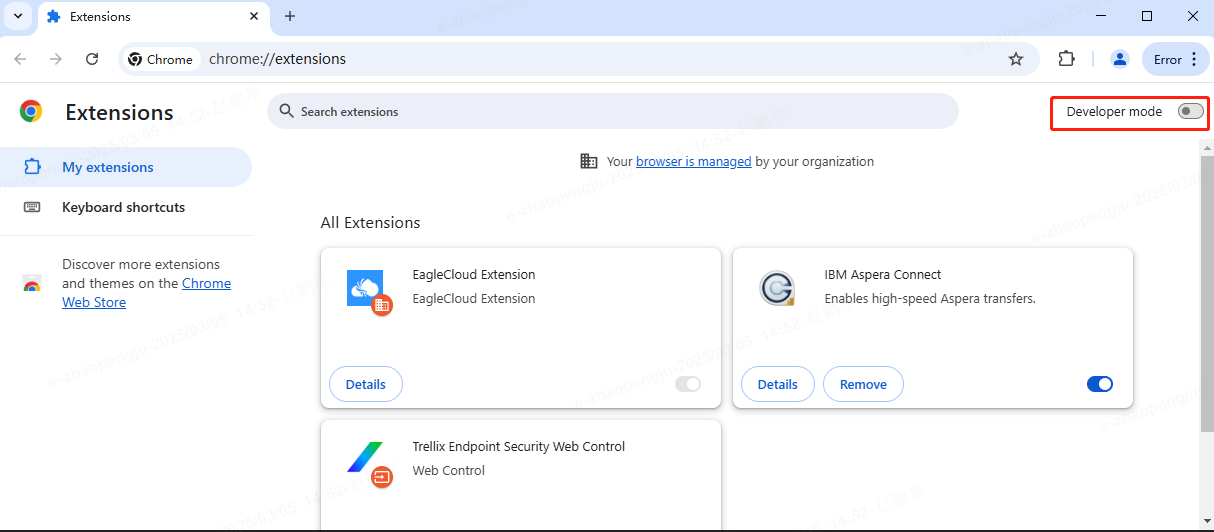
前提:仅支持125.0.6422.1421及以上版本谷歌浏览器.
Aspera安装视频教程
如果您无法通过Google应用商店安装此插件,请按以下步骤手动安装:
1. 点击链接,下载插件: Aspera Connect Extension
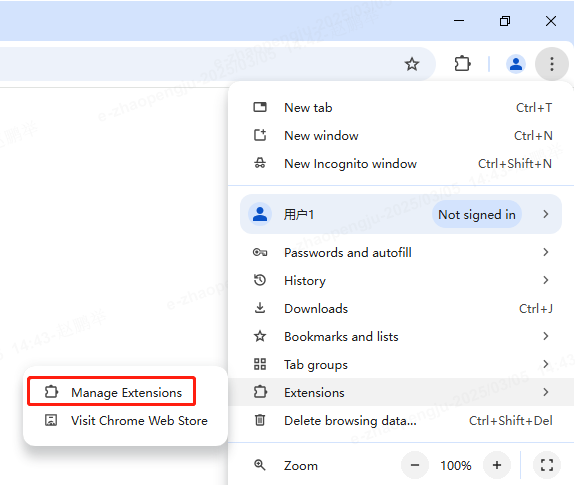
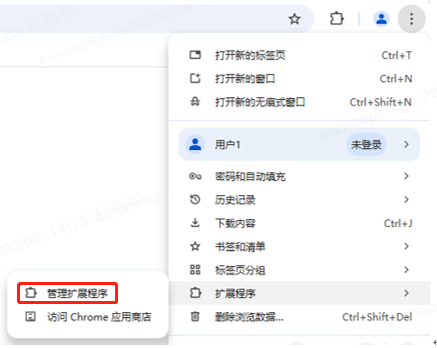
2. 打开右上角Chome菜单-->扩展程序-->管理扩展程序
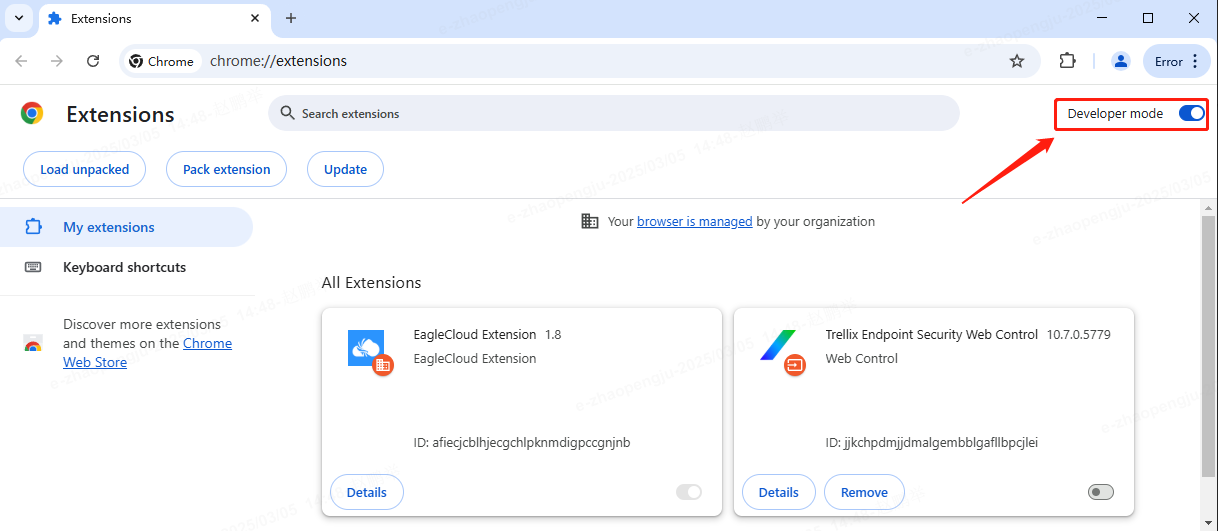
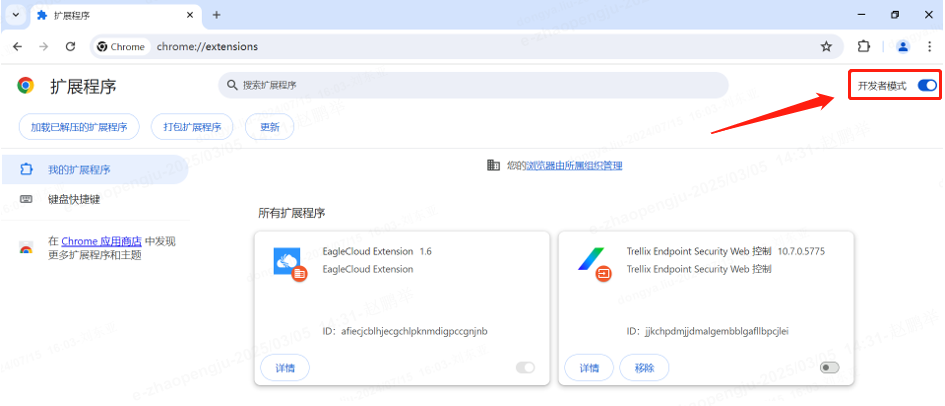
3. 打开"开发者模式".
4. 将扩展文件拖拽至浏览器页面中央.
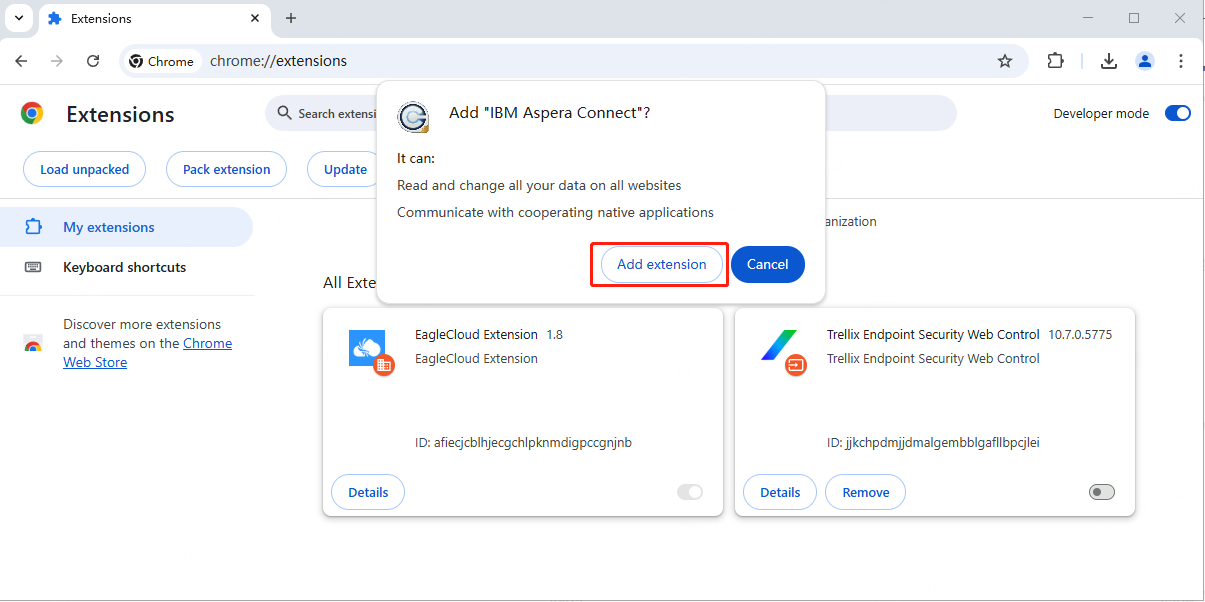
5. 点击"添加扩展程序".
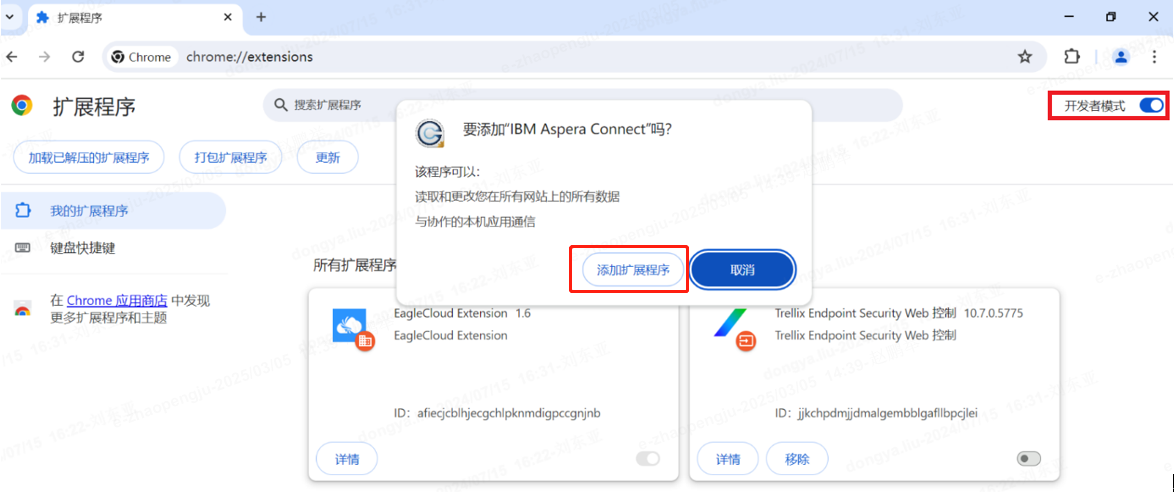
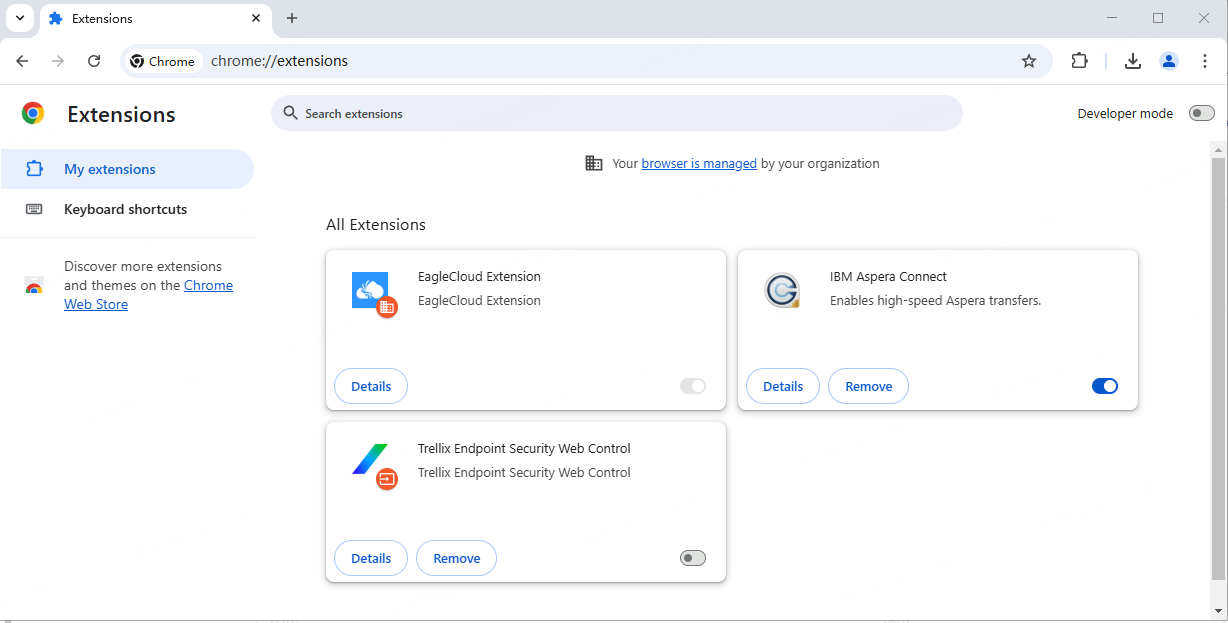
6. 显示以下界面表示安装完成.
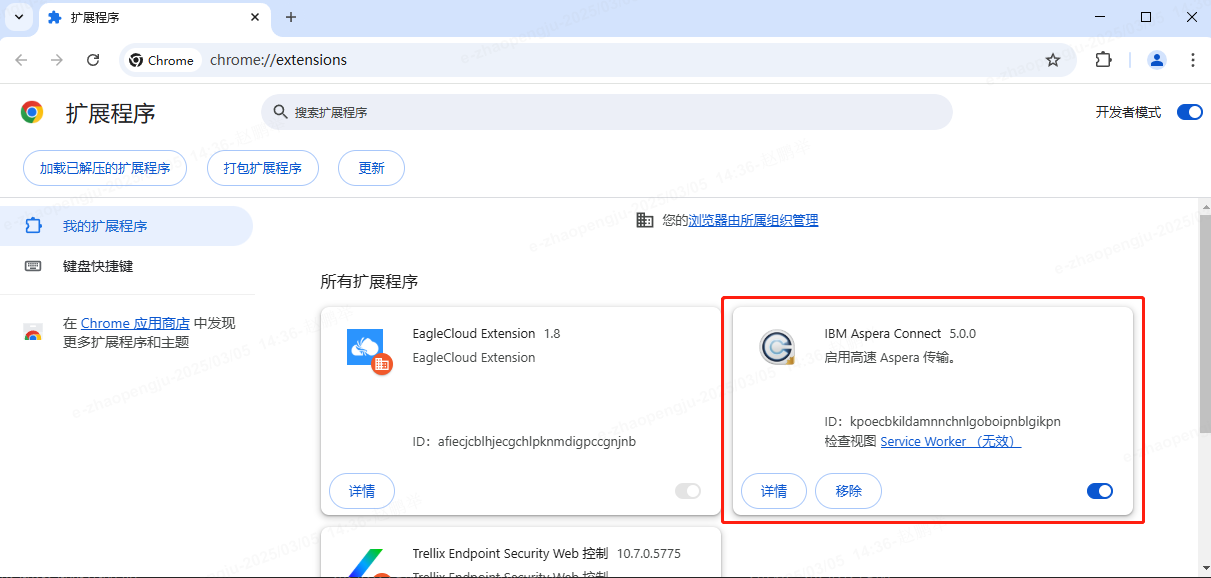
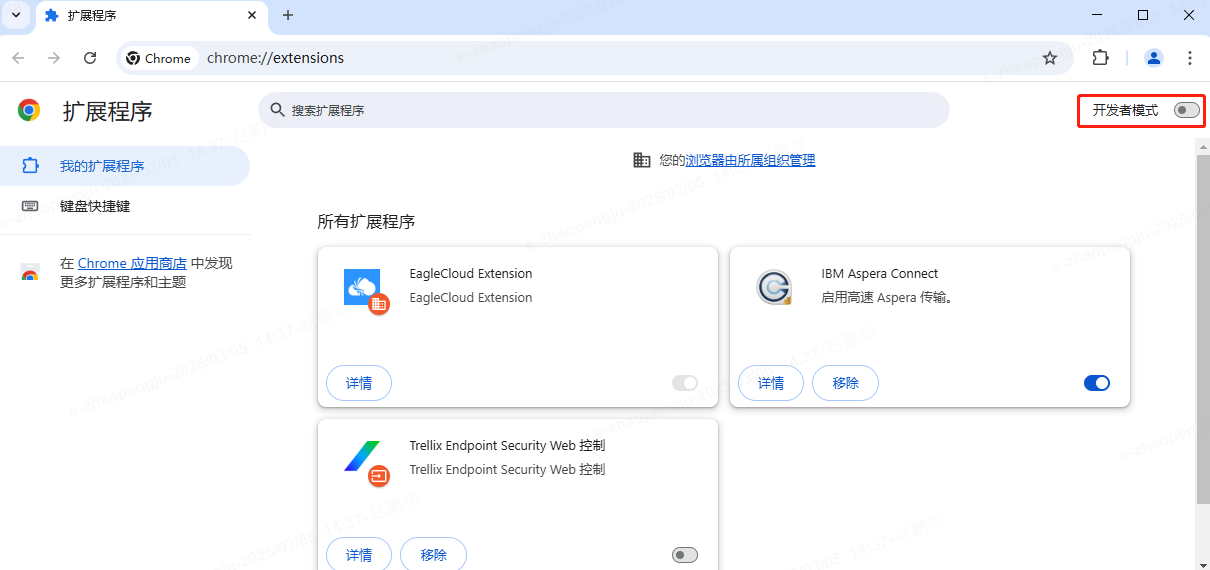
7. 关闭"开发者模式".
1. 下载 Aspera Connect
PC 用户下载地址:Aspera Connect for PC
Mac 用户下载地址: Aspera Connect for Mac
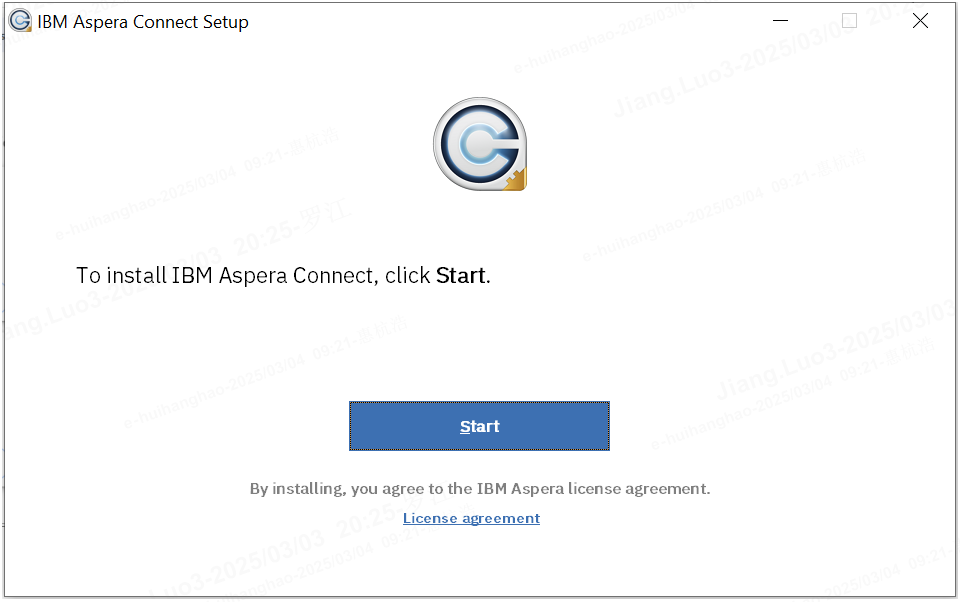
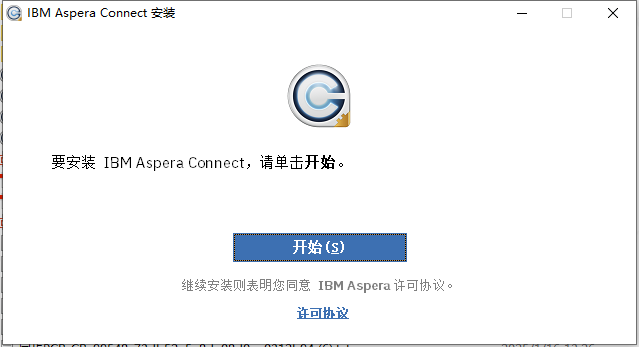
2. 点击“开始”进行安装
Prerequisite: Only Chrome browsers of version 125.0.6422.1421 and above are supported. If your Chrome browser is of a lower version, please upgrade it first!
Aspera Installation Video
If you are unable to install this plugin through the Google Web Store, please follow the steps below to install it manually:
2. Open Chrome Settings/Extensions/My Extensions.
3. Enable "Developer Mode".
4. Drag the extension file onto the middle of the page.
5. click "add extension".
6. The display of the following interface indicates that the installation is complete.
7. Disable "Developer Mode".
Download IBM Aspera Connect for PC
Download IBM Aspera Connect for Mac
click "Start" to install.